Why Does My Headphones Sound Muffled: Fix It Now!
Most muffled headphone sound comes from blocked ports, poor fit, EQ, or source/driver issues.
I’ve fixed dozens of muffled headphones in my work and at home, so I’ll walk you through clear, practical steps to find the cause and fix it. This article explains why your headphones sound muffled, how to test them, easy fixes, and when to repair or replace them.

Common reasons your headphones sound muffled
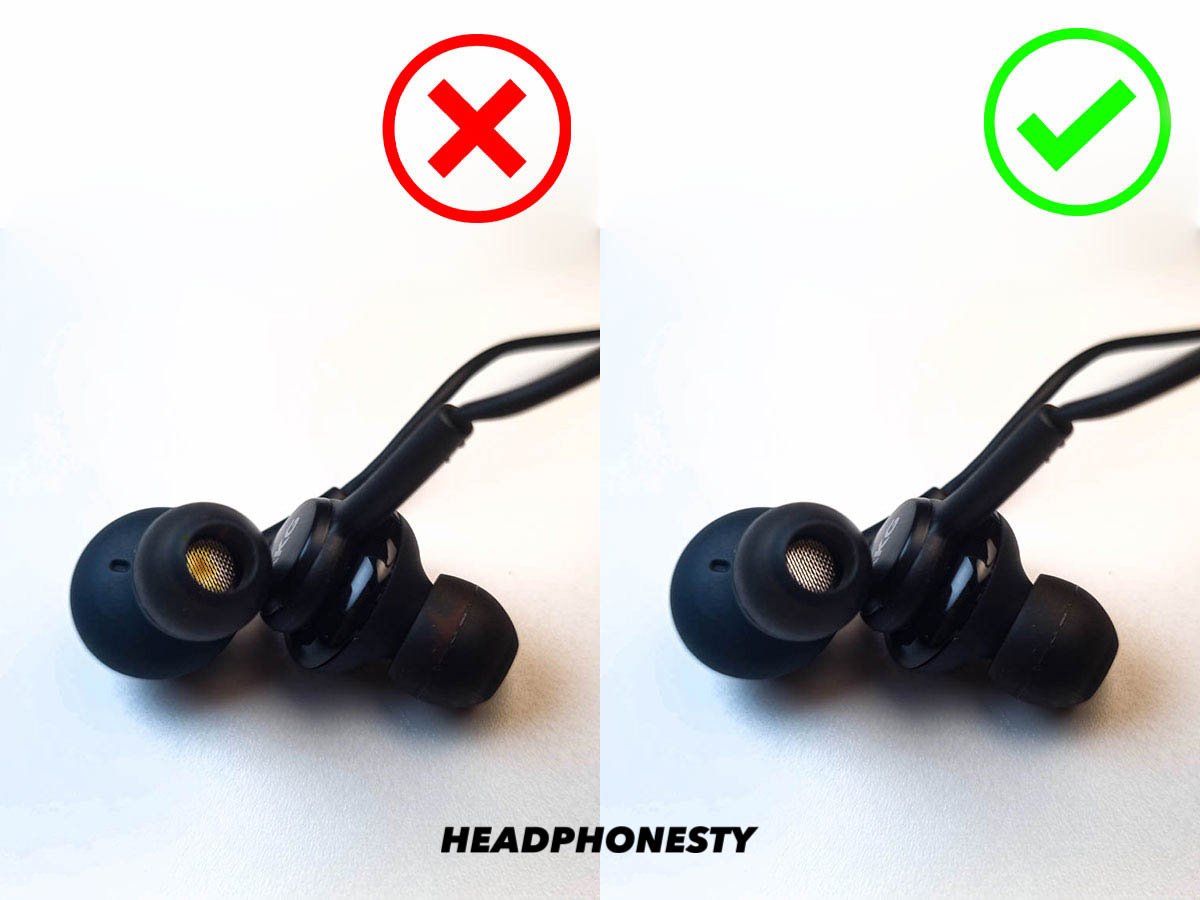
- Earwax or debris blocking the mesh or nozzle. This is a top cause for earbuds and in-ear monitors.
- Poor seal or wrong ear tips. A weak seal kills bass and makes things sound dull.
- Dirty or corroded jack or connector. Dirt adds resistance and alters tone.
- Damaged drivers or loose voice coils. Physical damage blurs clarity and dynamics.
- Worn or broken cable or connector. A bad wire can cut frequencies or swap channels.
- Bad EQ or headphone DSP. Subtle EQ cuts or a bass-boosted preset can muddy the midrange.
- Low-quality source, codec, or bitrate. Compressed files or poor Bluetooth codecs remove detail.
- Incorrect stereo balance or mono mode. One channel lower can make sound seem muffled.
- Blocked headphone ports or tuned enclosure issues. Over-ear port blockage changes resonance.
- Software or driver problems on phones and computers. A driver glitch can filter sound.
Why Does My Headphones Sound Muffled? Most times it’s one of the above. Start with simple checks first.
How to diagnose muffled sound step-by-step
- Try another device. Plug or pair the headphones to a phone, tablet, or laptop. If they clear up, the issue is the original device.
- Swap the cable or adapter. For wired sets, a different cable quickly rules out wiring faults.
- Clean the tips, mesh, and jack. Use a soft brush, toothpick, or isopropyl swab. Test after cleaning.
- Change ear tips and check fit. Try foam tips for a better seal and listen for bass clarity.
- Test with a reference track. Use a high-quality song you know well and listen for mids and highs.
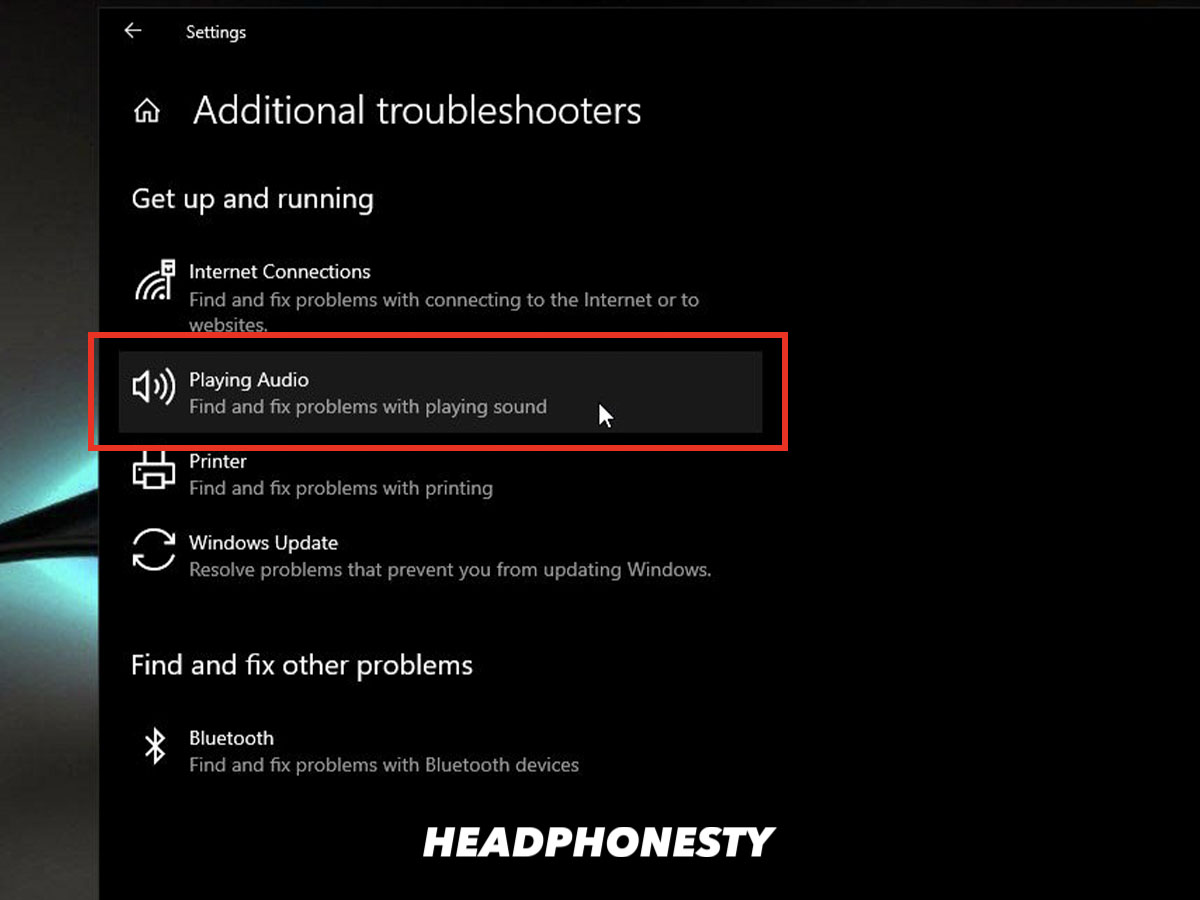
- Reset Bluetooth and check codecs. Force reconnect and, if possible, change to a higher-quality codec.
- Test left and right channels separately. Play mono files or swap ears to detect driver failures.
- Inspect for physical damage. Look for torn mesh, bent pins, or loose parts.
These steps answer “Why Does My Headphones Sound Muffled” by isolating device, cable, fit, and driver problems.

Easy fixes and maintenance tips
- Clean regularly. Wipe meshes and contacts once a month and deep-clean every few months.
- Replace ear tips. Foam tips rebuild seal and improve clarity for in-ear models.
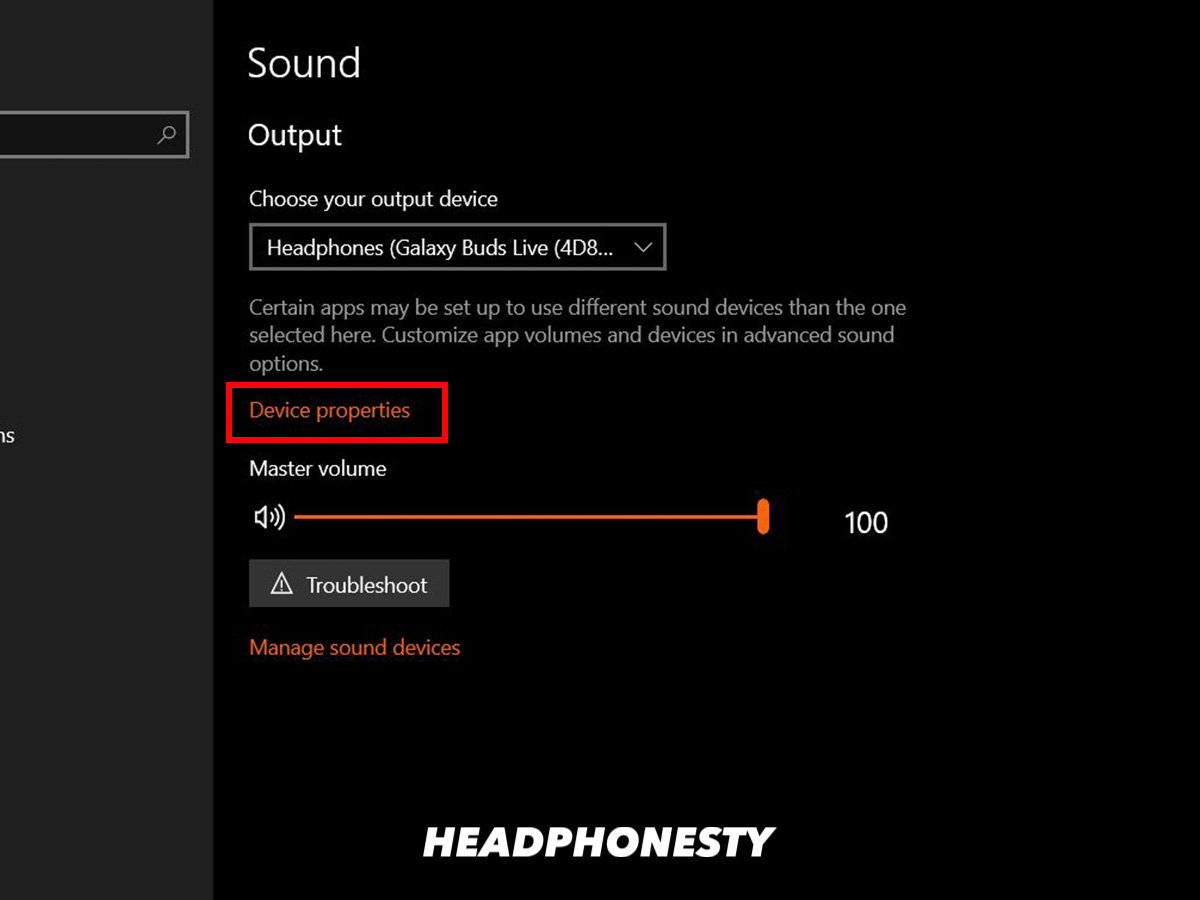
- Reset audio settings. Turn off enhancers and set EQ flat. Then adjust slowly.
- Use lossless files or higher bitrate streaming. Better source quality restores detail.
- Update firmware and drivers. Manufacturers fix audio bugs with updates.
- Swap cables or use a different adapter. A new cable often restores full frequency response.
- Re-pair Bluetooth devices. Clearing pairing data can fix codec mismatches.
- Check volume normalization and limiter settings. Some apps compress dynamic range.
- Store headphones properly. Avoid crushing drivers or exposing them to moisture.
If these tips don’t solve “Why Does My Headphones Sound Muffled,” the problem may be internal damage or age-related driver wear.
When to repair or replace your headphones
- Repair if the issue is replaceable: cable, jack, or earpad swaps are often cost-effective.
- Replace if drivers are blown or the cost of repair nears replacement price.
- Use warranty support when available; manufacturers can replace faulty drivers or units.
- Consider upgrade if tech is old: newer models offer better codecs, drivers, and seals.
- If sound is intermittently muffled after drops or moisture, drivers may be compromised.
Ask yourself if repair cost plus downtime is worth it. If you rely on crisp audio daily, replacement is often smarter than repeated fixes.

Technical explanation: how headphone drivers and acoustics cause muffled sound
Headphone drivers move air to create sound. If the driver or voice coil is damaged, movement is restricted. That reduces high-frequency detail and makes audio muffled.
Acoustic seal and porting shape frequency response. A poor seal reduces bass and blurs the midrange. Enclosure damping and venting tune resonance. Blocked vents or added damping reduces clarity.
Electronic issues can filter sound. A failing amplifier, bad DAC, or low-bitrate codec removes harmonics and clarity. In short, mechanical, acoustic, and electronic faults can each explain “Why Does My Headphones Sound Muffled.”
Personal experience and lessons learned
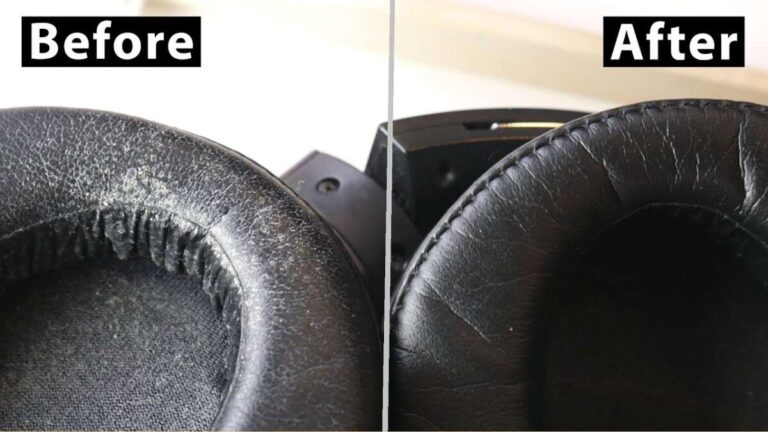
I once had a pair of studio headphones that sounded muffled after a festival. I cleaned the mesh and discovered fine sand in the port. After cleaning and replacing pads, they sounded like new. I’ve also fixed consumer earbuds by swapping foam tips and a cable.
Lessons I learned:
- Start with cleaning and fit checks.
- Test with multiple sources before diagnosing drivers.
- Keep spare cables and tips; they solve many problems fast.
If you follow simple care and testing, you’ll fix most muffled issues without buying new gear.

Frequently Asked Questions of Why Does My Headphones Sound Muffled
Why do my headphones sound muffled on one side?
One-sided muffled sound usually points to a wiring issue, a bad connector, or a damaged driver. Check the cable, swap sides if possible, and test on another device to isolate the fault.
Can earwax really make headphones sound muffled?
Yes. Earwax and debris block the nozzle and mesh, reducing highs and detail. Cleaning carefully with a soft brush or specialized tool often restores clarity.
Will software EQ fix muffled headphones?
EQ can help but won’t fix physical faults or damaged drivers. Use EQ to restore balance after confirming the hardware and fit are good.
Are cheap Bluetooth codecs the reason for muffled sound?
Low-quality codecs and high compression remove audio detail and dynamic range, which can sound muffled. Switching to a higher-quality codec or wired connection can improve clarity.
How can I tell if the driver is blown?
A blown driver often shows distortion, crackling, or a persistent muffled tone even after cleaning and testing on other devices. If simple fixes fail, driver damage is likely and may need repair or replacement.
Conclusion
You can fix most causes of “Why Does My Headphones Sound Muffled” by cleaning, checking fit, swapping cables, testing sources, and resetting software. Start simple, follow the diagnostic steps, and decide on repair versus replacement based on cost and need. Take action now: clean your gear, run the quick checks in this guide, and leave a comment with your issue so others and I can help.