Why are My Headphones So Quiet: Unlock Loud Sound
You put your headphones on. You pick your favorite song. You press play. You expect a boom. But you get a whisper.
You press the volume button. You hit the “up” key again and again. The bar on the screen is full. It says “Max Volume.” Yet, the sound is weak. It feels like the band is playing in the next room.
This is frustrating. It is annoying. It ruins the vibe.
I know this feeling.
My Personal Story
A few years ago, I bought a pair of high-end studio headphones. They were expensive. I was so excited. I plugged them into my phone for a flight. The engines roared. I put the headphones on. I turned the volume up.
I could barely hear the movie.
I thought they were broken. I was angry. I almost returned them.
But they were not broken. I just did not understand how they worked. My phone was not strong enough for them. I needed a small tool called an “Amp.” I learned a lesson that day.
Sometimes, the fix is a simple button. Sometimes, it is dirt. Sometimes, it is the hardware.
In this guide, I will show you how to fix it. We will look at your phone. We will look at your PC. We will look at the headphones.
So, why are my headphones so quiet? Let’s find out.
Check the Basics First (Don’t Skip This!)
Before we dig deep, let’s check the easy stuff. Sometimes, the answer is right in front of us.
1. The Hidden Volume Wheel
Many headphones have their own volume knob.
This is separate from your phone.
Your phone might be at 100%. But if the wheel on the headset is at 10%, it will be quiet.
Check the ear cups. Check the wire. Is there a dial? Spin it.
2. Media vs. Call Volume
Phones are smart. But sometimes they get confused.
They have different volume sliders.
- Ringer Volume: For calls.
- Media Volume: For music and videos.
Sometimes, you turn up the ringer, but the music stays low.
Press a volume button. Tap the “dots” or “settings” icon on the volume bar. Check the “Media” slider. Make sure it is up.
3. The File Quality
Are you listening to an old MP3? Or a bad YouTube video?
Bad files sound quiet.
Try a different song. Try a high-quality app like Spotify or Apple Music. See if it changes.
Credit: www.headphonesty.com
Fixing Quiet Headphones on iPhone (iOS)
If you use an iPhone, listen up. Apple cares about your ears. Maybe too much.
They have a feature that limits volume. It is hidden deep in the settings. This is a common reason for quiet sound.
Here is how to fix your iPhone headphone safety settings.
Step 1: Headphone Safety
- Open Settings.
- Tap Sound & Haptics.
- Tap Headphone Safety.
- Look for “Reduce Loud Sounds”.
- Is it on? Turn it off.
When this is on, the iPhone cuts loud noises. It acts like a strict parent. Turning it off unlocks the full power.
Step 2: Sound Check
Apple Music has a setting called “Sound Check.” It makes all songs the same volume.
This usually makes loud songs quieter.
- Open Settings.
- Scroll down to Music.
- Find Sound Check.
- Turn it off.
Now, go test your music. It should be much louder.
How to Make Headphones Louder on Android
Android is different. It gives you more control. But it also has hidden locks.
The biggest culprit is a feature called “Absolute Volume.”
This feature links your phone volume to your headphone volume.
Sometimes, it glitches. Your phone thinks the volume is up, but the headphones think it is down. They stop talking to each other.
Here is how to make headphones louder on Android.
The “Absolute Volume” Fix
We need to get into the “Developer Options.” It sounds scary. But it is safe.
- Open Settings.
- Tap About Phone.
- Find Build Number.
- Tap it 7 times fast.
- It will say “You are now a developer!”
- Go back. Tap System. Then Developer Options.
- Scroll down to the “Networking” section.
- Find “Disable Absolute Volume”.
- Turn it ON. (Yes, turn the “Disable” switch ON).
- Restart your phone.
This unlinks the volume. Now, turn your headphone volume up manually. Then turn your phone up. It fixes the sync issue.
Check the Limiter
Some Samsungs have a “Media Volume Limit.”
- Go to Sounds and Vibration.
- Tap Volume.
- Tap the three dots (menu).
- Tap Media Volume Limit.
- Turn it off. Or slide the limit to the max.
Solving Low Volume on Windows PC
Computers are tricky. Drivers get old. Settings get changed.
If you are asking, “Why is headphones volume too low on PC?”, try these steps.
1. The Volume Mixer
Right-click the speaker icon.
Select Open Volume Mixer.
Look at the apps.
Is Spotify set to 10%?
Sometimes the main volume is high, but the app is low. Slide them all up.
2. Loudness Equalization
Windows has a hidden booster.
- Search for “Sound Settings” in the Start menu.
- Click More sound settings (or Sound Control Panel).
- Right-click your headphones.
- Select Properties.
- Click the Enhancements tab.
- Check the box for “Loudness Equalization”.
- Click Apply.
This makes quiet sounds louder. It boosts everything.
3. Update Drivers
Old software breaks sound.
- Right-click the Start button.
- Click Device Manager.
- Open Sound, video and game controllers.
- Right-click your headphone driver (Realtek or Intel).
- Click Update driver.
Credit: unwiredforsound.com
Fixing Quiet Sound on Mac (macOS)
Macs are usually simple. But they have a secret menu called “Audio MIDI Setup.”
If your sound is unbalanced or quiet, look here.
- Press Command + Space.
- Type “Audio MIDI Setup”.
- Open the app.
- Select your headphones on the left.
- Look at the “Output” section.
- You will see sliders for “1” and “2” (Left and Right).
- Are they at the top?
- Slide them all the way to the right. Or type “1.0”.
Sometimes, an app lowers these sliders without asking. This puts them back to max.
The “Gunk” Problem: Cleaning Your Hardware
Let’s talk about something gross. Earwax.
It happens to everyone.
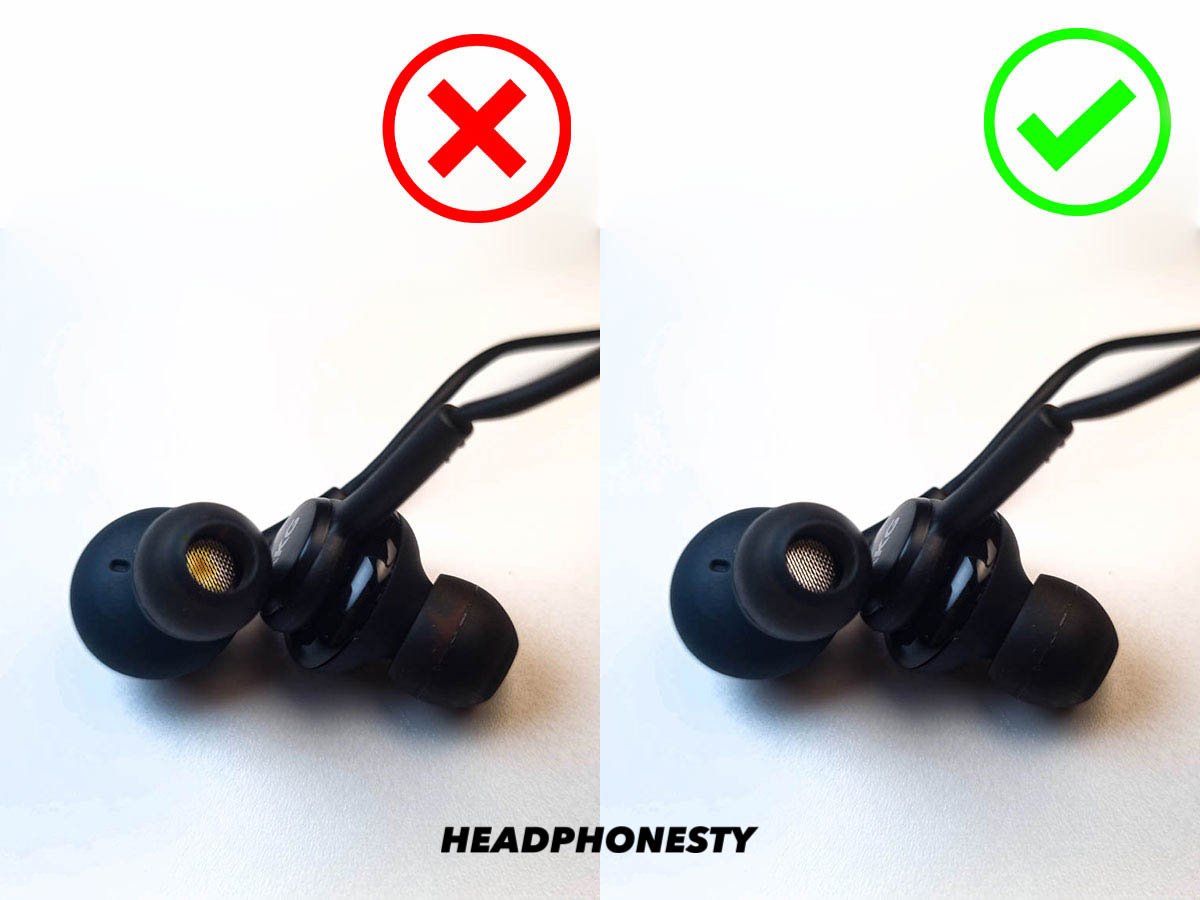
If you wear earbuds every day, wax builds up. It gets pushed into the mesh.
It acts like a wall. Sound cannot get through.
My Toothpick Story
I once had a pair of AirPods. The left one was super quiet.
I thought the battery was dead.
I took a flashlight. I looked closely at the mesh. It looked dark.
I took a wooden toothpick. I gently scraped the edge. A tiny bit of wax came out.
I put them in. The sound was back! It was loud and clear.
How to Clean Safely (Clean headphone jack and buds)
Do not use water.
- For Earbuds: Use a dry toothbrush. Brush the mesh gently. Use “Blu-Tack” to stick and pull dirt out.
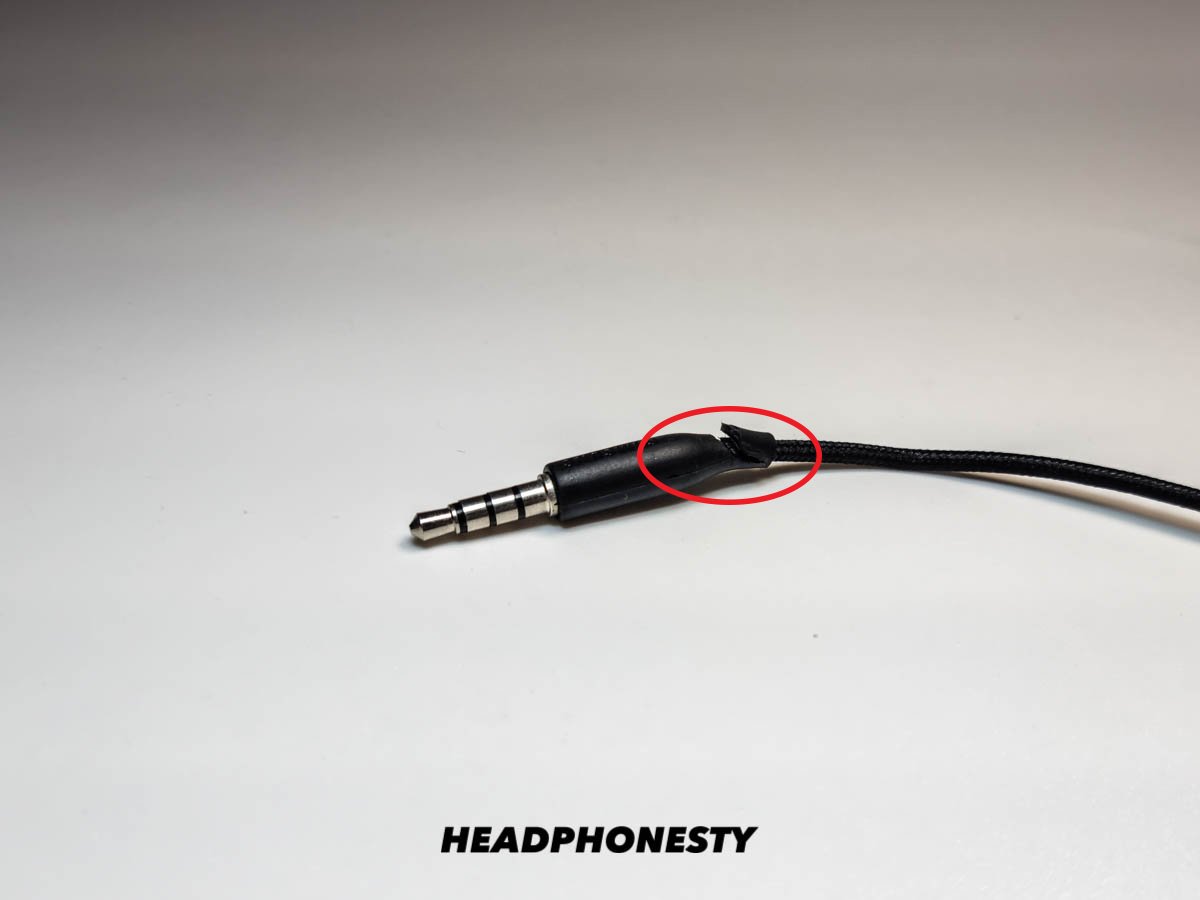
- For Headphone Jacks: Use a can of compressed air. Blow into the hole. Lint from your pocket gets stuck there. It blocks the connection.
A clean connection is a loud connection.
Bluetooth Headphone Specifics
Wireless is great. But signals get weak.
Here is how to fix quiet Bluetooth headphones.
1. The “Soft Reset”
Bluetooth gets confused.
- Go to Bluetooth settings.
- Find your headphones.
- Tap “Forget this Device”.
- Turn off the headphones.
- Turn them on. Pair them again.
This clears the bugs. It resets the volume logic.
2. Low Battery Mode
When battery is low, headphones save power.
They turn down the volume. They limit the bass.
Charge them to 100%. See if the sound improves.
3. Check the Codec
This is for advanced users.
Some codecs (ways of sending audio) are quieter.
If you are on Android, go to Developer Options.
Switch the “Bluetooth Audio Codec.”
Try AAC or aptX. See if it gets louder.
The Technical Stuff: Impedance and Power
Okay, let’s get nerdy. But I will keep it simple.
This explains why expensive headphones might be quiet on a cheap phone.
This is about headphone impedance explained.
The Water Pipe Analogy
Think of electricity like water.
Think of headphones like a pipe.
- Low Impedance (Low Ohms): This is a wide pipe. Water flows easily. You need very little pressure. Most earbuds are like this (16-32 Ohms). Phones power them easily.
- High Impedance (High Ohms): This is a skinny pipe. It resists the water. You need a LOT of pressure to push water through. Studio headphones are like this (80-250 Ohms).
The Problem
If you plug “High Impedance” headphones into a phone, the phone is weak.
It cannot push enough “pressure.”
The sound comes out as a trickle. It is quiet.
Check your box. Look for the “Ohm” symbol (Ω).
If it is over 80Ω, your phone might be too weak.
You need more power.
Credit: www.headphonesty.com
Do You Need a DAC or Amplifier?
If you have those high-power headphones, you need a boost.
You need an Amplifier (Amp).
What is an Amp?
It is a device that adds power.
It takes the signal from your phone. It makes it strong. Then it sends it to the headphones.
What is a DAC?
Digital-to-Analog Converter.
It cleans up the sound. It makes it clear.
Should you buy one?
- If you have cheap earbuds: No. It won’t help.
- If you have big, professional headphones: Yes.
You can buy a “Dongle DAC.” It looks like a headphone adapter. But it has a chip inside. It costs $30 to $100. It makes a huge difference.
App-Specific Volume Settings
Maybe your phone is fine. But the app is holding you back.
Streaming apps normalize volume. They make loud songs quiet so you don’t get hurt.
Spotify
- Open Settings.
- Tap Playback.
- Look for “Enable Audio Normalization”.
- Turn it OFF.
- Or, set “Volume Level” to “Loud”.
Note: “Loud” might reduce quality. But it solves the quiet problem.
Apple Music
- Open Settings (on phone).
- Tap Music.
- Turn off Sound Check.
- Tap EQ.
- Select “Late Night”.
Why Late Night? It compresses the sound. It makes quiet parts louder. It is a secret volume booster.
Using Equalizer Apps to Boost Sound
If you still need more volume, use software.
You can force the volume past 100%.
On PC
Download Equalizer APO. It is free.
You can add “Pre-amp gain.” You can boost it by +10dB.
Be careful. If you go too high, the sound will crackle.
On Android
Download Wavelet or Flat Equalizer.
These apps sit on top of the system.
They let you boost the gain.
On iPhone
Apps cannot change system volume easily.
You are stuck with the “Late Night” EQ trick. Or you must buy a louder music player app.
Hearing Health: Are They Quiet or Are You Losing Hearing?
I must ask this question.
Is the device quiet? Or are your ears tired?
Hearing loss is real.
If you listen to loud music every day, your ears get damaged.
You lose sensitivity.
So, you turn the volume up. But it still sounds quiet. This is a cycle.
The Tinnitus Test
Go to a quiet room.
Do you hear a ringing sound?
If yes, you might have damage.
Take a break. Stop using headphones for a week.
See if your hearing comes back.
Protect your ears. You only get one pair.
Conclusion
We have covered a lot.
From hidden iPhone settings to dirty earwax.
From Windows drivers to high-tech amps.
Let’s Recap:
- Check the volume wheel on the cord.
- Turn off “Headphone Safety” on iPhone.
- Disable “Absolute Volume” on Android.
- Clean your earbuds.
- Check if you need an Amp for big headphones.
Ideally, one of these steps solved your mystery.
Music is meant to be felt. It should move you.
Now that you have unlocked the volume, enjoy it. But be safe. Keep it loud, but not too loud.
Happy listening!
Frequently Asked Questions (FAQ)
1. Why are my Bluetooth headphones so quiet even at max volume?
This is often due to volume sync issues. On Android, enable “Disable Absolute Volume” in Developer Options. On iPhone, turn off “Reduce Loud Sounds” in Settings. Also, try unpairing and repairing the device.
2. How do I clean my headphone jack to improve sound?
Use a can of compressed air to blow out lint. Alternatively, gently use a dry interdental brush or a wooden toothpick to remove debris. Avoid using metal objects or water which can cause short circuits.
3. Does low battery affect headphone volume?
Yes. Many wireless headphones automatically enter a “power saving mode” when the battery is low. This restricts maximum volume and bass output. Charge your device fully to restore performance.
4. What is the “Late Night” EQ trick for iPhone?
Go to Settings > Music > EQ and select “Late Night.” This setting compresses the dynamic range, making quiet parts of songs louder, which increases the overall perceived volume of your music.
5. Why is one earbud quieter than the other?
This is usually caused by earwax clogging the mesh or a channel imbalance setting. Clean the earbud mesh carefully. Check your phone’s accessibility settings to ensure the audio balance slider is centered.
6. Do I need an amplifier for my headphones?
If your headphones have high impedance (over 80 Ohms), a smartphone may not have enough power to drive them loudly. In this case, a portable DAC/Amp can significantly increase volume and clarity.