How To Fix Headphones One Side Not Working: Easy Fixes
Check the jack, wiring, and audio balance; clean contacts and test on another device.
I’ve spent years fixing headphones for friends and clients and know how frustrating one-sided sound can be. This guide shows clear, tested steps for how to fix headphones one side not working. I’ll explain causes, simple tests, step-by-step repairs, and when to seek professional help so you can get crisp, balanced audio fast.

Why one side of headphones stops working
One side of headphones can stop working for many reasons. Common causes include a bad cable, a damaged audio jack, dirty contacts, software settings, or speaker damage. Wireless headphones add Bluetooth pairing issues and firmware glitches to the list.
Knowing the cause helps you pick the right fix. In my experience, loose wiring and dirty jacks cause most simple failures. More complex problems can need soldering or part replacement.
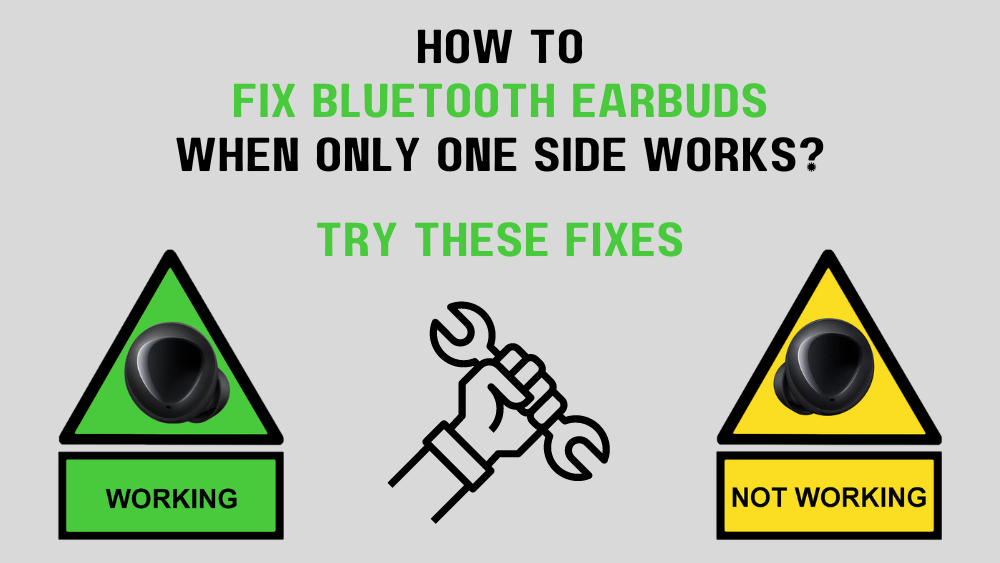
Basic checks before you start repairing
Run quick tests first. These rules save time and avoid needless repairs.
- Test on another device to rule out the source device.
- Swap left/right channels in software or device settings.
- Check the headphone plug for lint and clean the jack.
- Inspect the cable and plug for visible damage or loose strain relief.
- For wireless earbuds, check battery, pairing, and firmware.
If one test fixes it, you can stop there. If not, follow the step-by-step repair guide below for how to fix headphones one side not working.
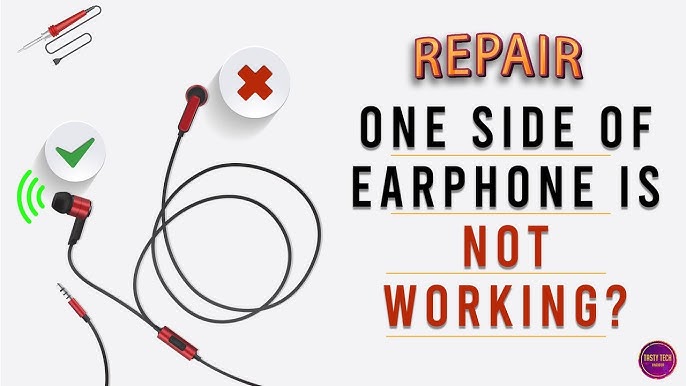
Step-by-step fixes for how to fix headphones one side not working
Follow these steps in order. Each step is simple and uses common tools.
-
Check balance and software settings
- Open audio settings on your device.
- Ensure left-right balance is centered.
- Disable mono audio or accessibility features that may redirect sound.
- Test audio after each change.
-
Inspect and clean the plug and jack
- Look for lint, dust, or corrosion in the jack.
- Use compressed air or a soft brush to remove debris.
- Dampen a cotton swab with isopropyl alcohol (70%+) and gently clean the plug.
- Reinsert and test.
-
Try a different cable or adapter
- For wired detachable cables, swap to a known-good cable.
- For 3.5mm wired headphones, test with a different device or adapter.
- If the spare cable works, the original cable is the problem.
-
Wiggle and isolate the fault
- Play audio and gently wiggle the cable near the plug, mid-cable, and earpiece.
- If sound cuts in and out, the wire is broken inside the insulation.
- Mark the affected spot for repair.
-
Repair a broken cable (simple solder or splice)
- Cut out damaged section if the fault is near the plug.
- Strip insulation carefully to expose wires (usually two or three: ground, left, right).
- Twist wires to match colors and solder or use insulated crimp connectors.
- Use heat shrink tubing for a clean, strong repair.
- Test before finishing with tape.
-
Repair or replace the plug
- Buy a replacement 3.5mm plug or TRRS plug as needed.
- Cut off the old plug, strip wires, solder to the new plug per wiring standard (TIP left, RING right, SLEEVE ground).
- Reassemble and test.
-
Open earpiece to check driver and wiring
- If the problem is inside an earpiece, use a plastic pry tool to open the housing.
- Look for disconnected solder joints or loose wires.
- Re-solder small connections with a fine-tip iron if confident.
- Replace the driver if visibly damaged.
-
Wireless headphone fixes
- Reset the earbuds/headphones per manufacturer steps.
- Unpair and re-pair with device.
- Update firmware through the companion app.
- Charge both earbuds fully; uneven battery levels can mute one side.
-
When to stop and seek help
- If drivers are damaged or sealed units are complex, consider professional repair.
- For premium or still-under-warranty headphones, contact support first.
These steps cover most scenarios for how to fix headphones one side not working. Be patient and work methodically. Small fixes often solve the problem.

Tools and parts you may need
Keep a small kit handy. It speeds repairs and increases success.
- Soldering iron with fine tip and solder
- Wire stripper and cutters
- Heat shrink tubing and electrical tape
- Replacement 3.5mm plugs and TRRS plugs
- Small pry tool or spudger
- Compressed air and isopropyl alcohol
- Multimeter for continuity checks
Using the right tool is half the job. A cheap soldering iron and clean workspace make repairs safer and neater.

DIY vs professional repair vs replacement
Choose the right path based on time, cost, and skill.
- DIY repair
- Best for cable or plug fixes and minor internal wiring.
- Cost-effective. Requires basic tools and steady hands.
- Professional repair
- Best for driver replacement, complex sealed units, or premium models.
- Higher cost but preserves warranty and quality.
- Replacement
- Choose when repair cost approaches new headset price.
- Consider recycling the old unit responsibly.
When unsure, check warranty terms. Repairing sealed units may void coverage.

Preventive tips to avoid future failures
Good habits extend headphone life. I learned this after breaking several cables early in my hobby.
- Store headphones loosely coiled. Tight knots stress wires.
- Use a case for travel to avoid crushing.
- Avoid tugging the cable; pull the plug when disconnecting.
- Keep jacks and plugs clean and dry.
- Use cable protectors or strain relief sleeves near connectors.
- For true wireless earbuds, store them charged and dry.
Following these tips reduces the chance you’ll need to learn how to fix headphones one side not working again.

Common quick questions
Why does only one earbud work sometimes?
Often this is an audio balance setting, a pairing issue, or one earbud has a low battery. Check settings and charge both earbuds, then re-pair.
Can I fix a broken headphone wire without soldering?
Yes. For a temporary fix, you can use crimp connectors or carefully twist and tape wires. For a long-term fix, soldering is best.
Does cleaning the jack really help?
Yes. Dust and lint can interrupt contact and cause one side to cut out. Gentle cleaning often restores full sound.

Frequently Asked Questions of how to fix headphones one side not working
What is the first thing I should check?
Start with device settings and audio balance. Then test the headphones on another device to isolate the problem.
How do I identify a broken wire inside the cable?
Play audio and gently wiggle the cable along its length. If sound drops when you bend a spot, the wire is likely broken there.
Are wireless earbuds harder to fix than wired ones?
Yes, generally. Wireless earbuds involve batteries, Bluetooth, and firmware, which can be trickier than replacing a plug or cable.
Can water damage cause one side to stop working?
Yes. Moisture can short contacts or corrode drivers. Drying and professional cleaning may help but damage can be permanent.
Is it worth repairing cheap headphones?
Often not. Labor and parts can exceed the cost of new headphones. For sentimental or high-end models, repair is worth considering.
How do I solder the wires to a new 3.5mm plug?
Strip the wires, tin them briefly, and solder to the plug terminals: tip for left, ring for right, sleeve for ground. Test before final assembly.
Will warranty cover one-sided audio problems?
If the issue is a manufacturing defect and the unit is under warranty, yes—contact the manufacturer before attempting repairs.
Conclusion
You can diagnose and fix most cases of how to fix headphones one side not working with a few tests and simple repairs. Start with software and device checks, then clean jacks and swap cables. If needed, use basic soldering to replace plugs or repair wires, or seek professional help for sealed or high-end units. Try a step today and restore both sides of your audio. If this guide helped, share your result or ask a question below to get tailored advice.