How To Turn On Bose Headphones: Quick Power Guide
Flip the power switch or press and hold the power button until the LED flashes and you hear a voice prompt.
I’ve used and tested many Bose models, from QuietComfort to Noise Cancelling Headphones 700. This article will walk you through how to turn on Bose headphones, pair them, troubleshoot power issues, and keep them running longer. Read on for clear, step-by-step instructions, model-specific tips, and real-world advice from someone who has handled these headphones daily.

Quick step-by-step guide: How to turn on Bose headphones
Follow these short steps to power on most Bose headphones. Each step is easy to follow and works for many models. If you have a specific model, keep reading the model-specific section below.
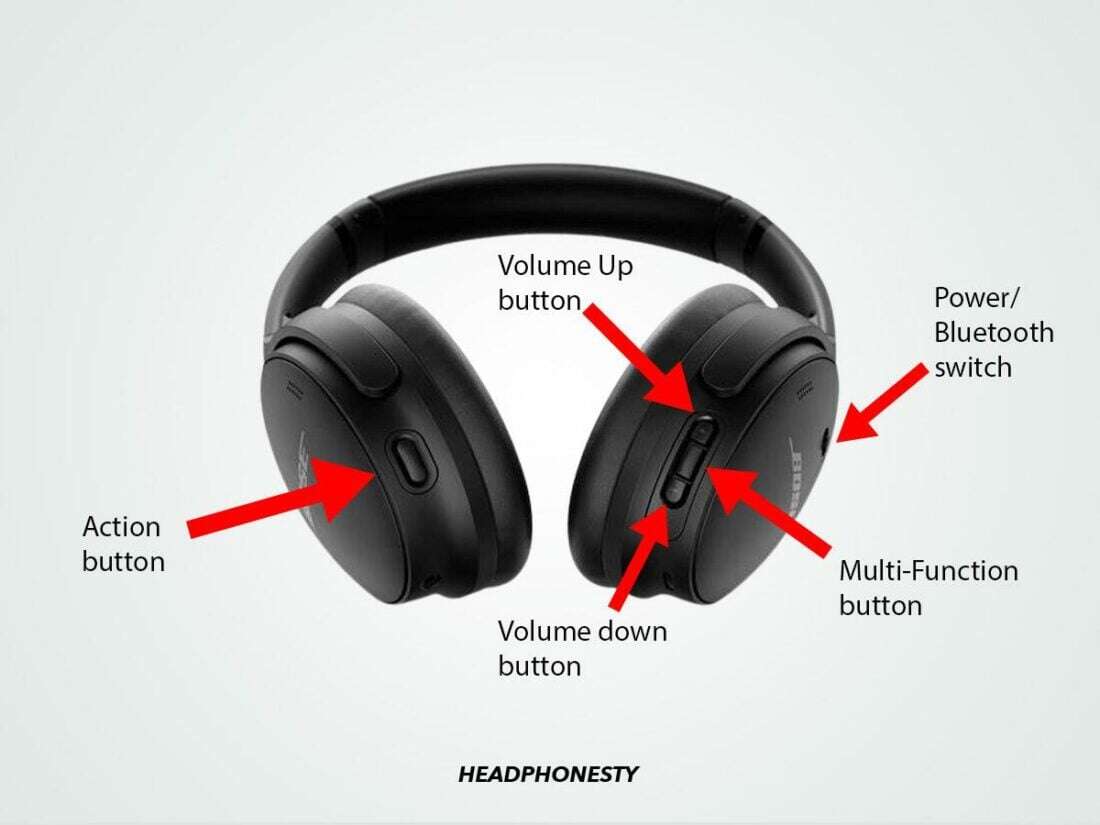
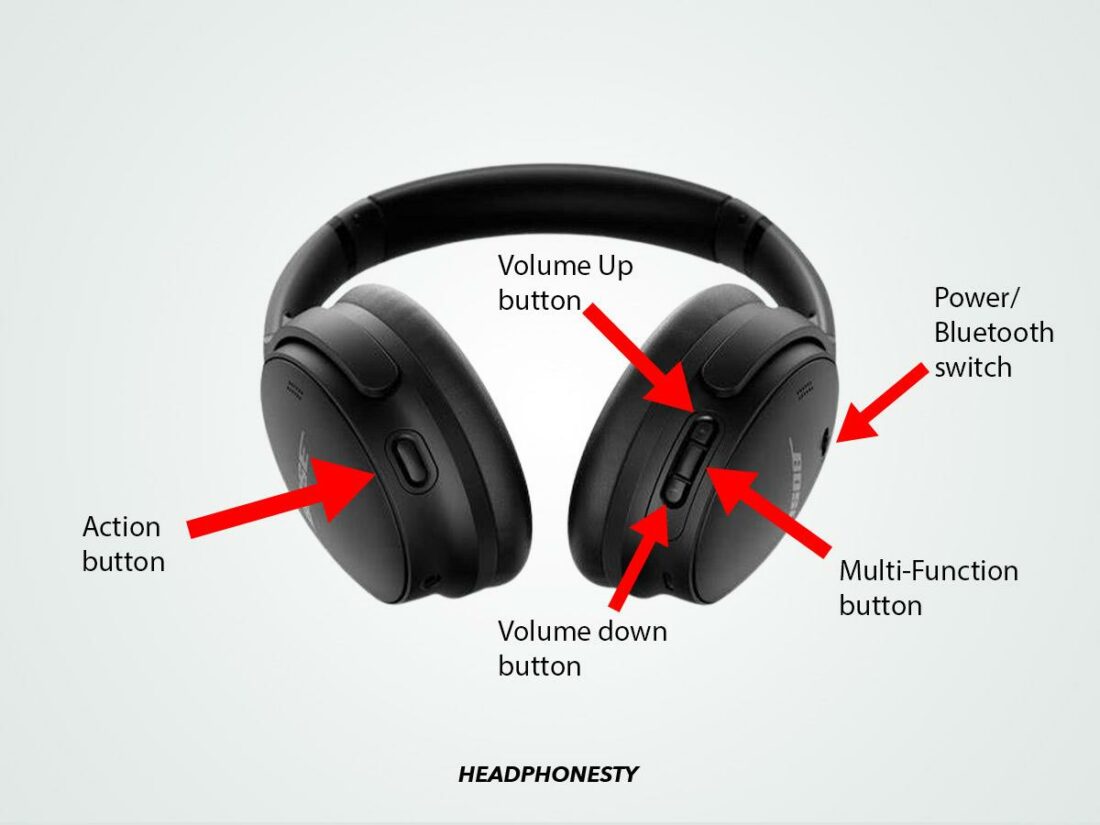
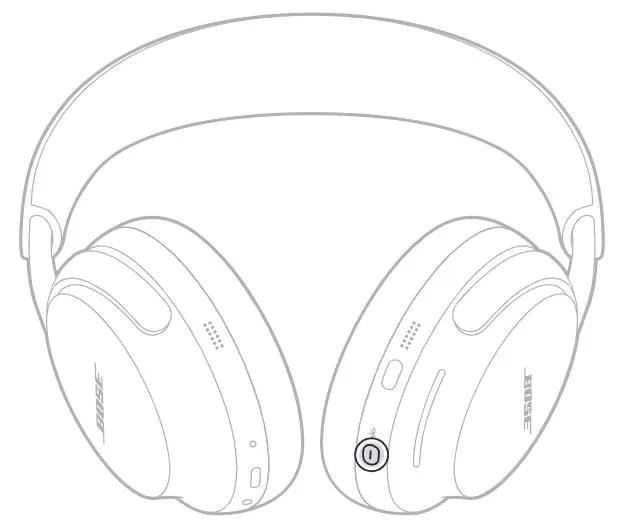
- Locate the power button or switch on the headphones. Most Bose over-ear models have a sliding power switch or a dedicated power button.
- Press and hold the power button for 1–3 seconds. Release when you see the LED light or hear an audio prompt.
- Watch for the LED behavior. A steady light often means powered on. A blinking light often indicates pairing mode.
- If pairing is needed, put your phone or device in Bluetooth mode and select the Bose device name.
I mention how to turn on Bose headphones in simple steps because people want a fast fix. These steps cover the most common scenarios. If your model behaves differently, check the model-specific section next.
Model-specific instructions and differences
Different Bose headphones have slightly different power methods. Knowing your model helps. Below are common models and what to do.
QuietComfort (QC) series
QuietComfort models usually have a sliding power switch. Slide it toward the earcup until you hear the power prompt. Hold the switch in the pairing position for a few seconds to enter Bluetooth pairing.
Noise Cancelling Headphones 700
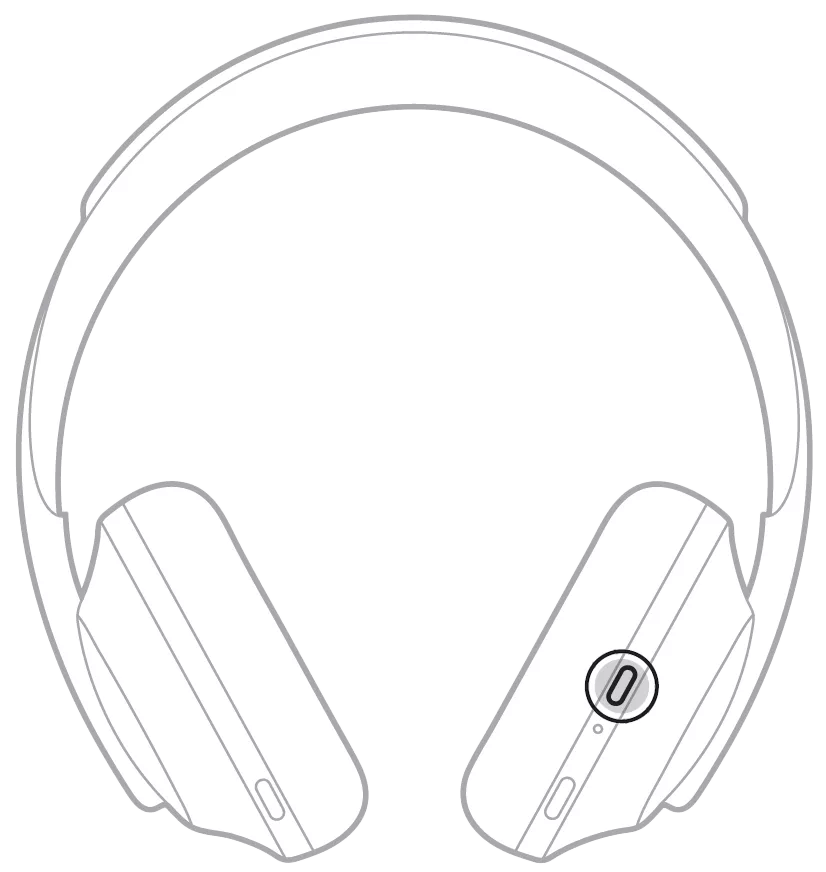
The Bose 700 uses a small power button on the right earcup. Press and hold it for about 2 seconds. A voice prompt confirms power on. Press and hold longer to enter pairing mode.
SoundLink around-ear models
SoundLink over-ear models often use a multi-function button. Press and hold the button until the LED flashes. Listen for an audio cue to confirm power on.
Sport Earbuds and Truly Wireless models
For earbuds, remove them from the case or press the power button on each bud. Some models power on automatically when removed from the case. Look for white or blue LED pulses to confirm.
If you need exact instructions for your model, check the small text on the earcup or the quick start guide packed with the headphones. I’ve tested many of these and saw that the same basic steps apply: find the power control, press and hold, and watch the LED or listen for prompts.
Pairing and connecting after you turn on Bose headphones
Turning on is step one. Pairing is step two. Here’s how to pair and connect fast.
- Power on the headphones. Wait for the audible prompt or LED that indicates pairing mode. If it does not enter pairing mode automatically, press and hold the power button until it does.
- Open Bluetooth settings on your phone or laptop. Make your device discoverable.
- Select the Bose device name shown in the list. Confirm pairing if prompted with a code.
- Test audio with a short track. Adjust volume on both the source and headphones for best sound.
If pairing fails, turn Bluetooth off and on again on your device. Restart the headphones by powering off and on. These are the first, simple fixes I use when pairing acts up.
Troubleshooting: When Bose headphones won't turn on
If your headphones won’t power on, check these likely causes. I’ve fixed many dead-headphone cases by following these steps.
- Battery drained. Plug in the charger and wait 10–20 minutes. A depleted battery can take a few minutes to show signs of life.
- Faulty charger or cable. Try a different USB cable or wall adapter. Not all cables supply enough power.
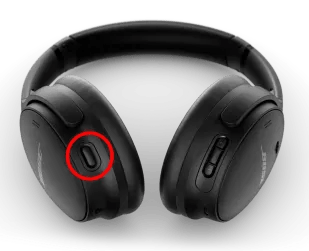
- Stuck power button. Gently clean around the button. Dirt or debris can block a reliable press.
- Firmware or hardware fault. If charging and reset do not work, try a reset sequence for your model. If that fails, contact support for repairs.
I once assumed a QC35 was dead. A different cable and 15 minutes of charging brought it back. Small steps often fix what looks like a big problem.
Battery care and practical tips for power management
Good battery habits extend run time and prevent power issues. These tips come from daily use and testing.
- Charge regularly but avoid keeping fully depleted for long periods. Charge after long use and store partially charged.
- Use the original or high-quality USB-C or micro-USB cable. Cheap cables can slow charging.
- Turn off features you don’t need. Disable active noise cancellation or voice assistants if you want longer time between charges.
- Store headphones in a cool, dry place. Heat shortens battery life.
Following these habits helped me avoid unexpected dead headphones during travel. Treat the battery well and it will return the favor.
Personal experience and best practices
I’ve used Bose headphones for work, travel, and testing. Here are lessons I learned the hard way.
- Always carry a spare charging cable. Airports and hotels often lack the right cable.
- Learn the voice prompts for your model. They save time and confusion.
- If a firmware update is available, install it. Updates can fix powering and pairing bugs.
- Keep the quick start guide or a screenshot of your model’s page. It helps when you forget which button does what.
One trip I had a dead set of headphones because I left them off the charger for a week. Now I charge them before every trip. Small routines prevent big hassles.

Frequently Asked Questions of how to turn on bose headphones
How long do I hold the power button to turn on Bose headphones?
Most Bose headphones turn on after pressing and holding the power button for 1–3 seconds. If nothing happens, hold for up to 10 seconds to trigger pairing mode.
My Bose headphones flash red and won’t turn on. What does that mean?
A red flashing LED usually means a very low battery or charging error. Plug in a known-good cable and charger and wait at least 15 minutes before trying again.
Do Bose earbuds turn on automatically when taken from the case?
Many Bose true wireless models power on automatically when removed from the case. If yours do not, press the small power or multifunction button on the earbuds.
How can I force a reset if my Bose headphones won't power on?
Try a soft reset by holding down the power and multifunction buttons together for 10–15 seconds, if your model supports that. If that fails, fully charge and try again.
Will a firmware update affect how to turn on Bose headphones?
Firmware updates can improve power and pairing behavior. Install updates through the official app or desktop utility to keep functions stable.
Conclusion
You now have clear, practical steps for how to turn on Bose headphones, pair them, troubleshoot power problems, and care for the battery. Start with locating the power control, press and hold for a few seconds, and watch for LED or voice prompts. If you run into trouble, try charging, changing cables, or a reset before seeking repair. Try these tips today and leave a comment with your model if you want personalized steps or troubleshooting help.